You can get around the updates by shutting down from CLI on Windows.
It’s even worse, when I tell my work Windows 11 computer to shut down and I have to choose update and shutdown because it decided to do updates, sometimes it reboots a few times but then it doesn’t turn off afterwards.
I’m never going to install Windows 11 on any of my devices, it’s so bad.
I bought a new mini PC the other day that shipped with windows 11. Before installing Linux I thought “I’ll just boot into windows to make sure the hardware is all correct”.
I got as far as the windows welcome screen and thought “it’s actually just going to be faster and easier to install Debian instead of going through all this windows bullshit”
I got a new Mini a month ago. Before I even powered it up, I stabbed a USB stick into it, hit escape on boot, and killed that bitch with Kinonite.
There are two things a person needs to do when starting up a fresh new computer: First, you must bathe in the purifying waters of Lake Minnetonka, and never, ever let Windows have even a single chance to live.
Or my old windows 10 machine would wake itself up in the middle of the night to run updates that the group policy wouldn’t even allow it to download without my permission and then just sit there. If I hadn’t fallen asleep yet, I’d notice the monitor light up the next room and get up swearing at Microsoft until I tracked down where the wakeup timer was set and disabled it. Only to find it re-enabled after some updates.
Fuck Microsoft.
It’s fun when your laptop decides to do this kind of nonsense from inside your laptop bag, smothering itself in its own heat.
Makes me wonder how many laptops seemed to randomly get bricked because it tried to update but then ran out of battery in the middle of it but the user just sees that their laptop had no battery left and then won’t boot properly after that, never realizing it decided to update itself.
I have a solution for this inside on my work computer. I put it on a Shelly plug. I tell homeassistant to power that on before my shift starts. When I shut down the computer at the end of my shift, the plug sees the drop in current draw and powers off that outlet.
The windows pc doesn’t even get power unless I want it to. It can starve.
Powers on
Immediately starts shut down
Refuses to close because the following programs are still running
The list is empty
Reminds of a couple [(brilliantly delivered, poignant)] lines from the movie Sphere.
“I hope it doesn’t have any feelings.”
“What happens when he gets upset?”
[Thanks LLM on a websearch for helping remember it was from the Sphere, not 2001, lol… different similar(ish) lines in that. ~ Wait, why am I thanking the LLM? … Does this speak to how gratitude’s good… Or in expressing this gratitude, does it suggest I suspect, on some level, perhaps subconsciously, that the LLM has feelings!?!! Oh well at least we’re not putting LLMs into our local computers that we shutdown. …]

it’s now safe to turn off your computer
It was never safe to turn it on in the first place
Are you guys really using a command to shut down a computer?
Because you can do the same with Windows, but nobody uses it because it is just not convenient to use commands for that.
shutdown /s“please shut down (this is sarcasm)”
Yeah, you can even throw a /f in there to force close all apps so it will kill everything and go nighty night. I used to use it with /t command if I wanted to download something while I was out but not have the PC run all day.
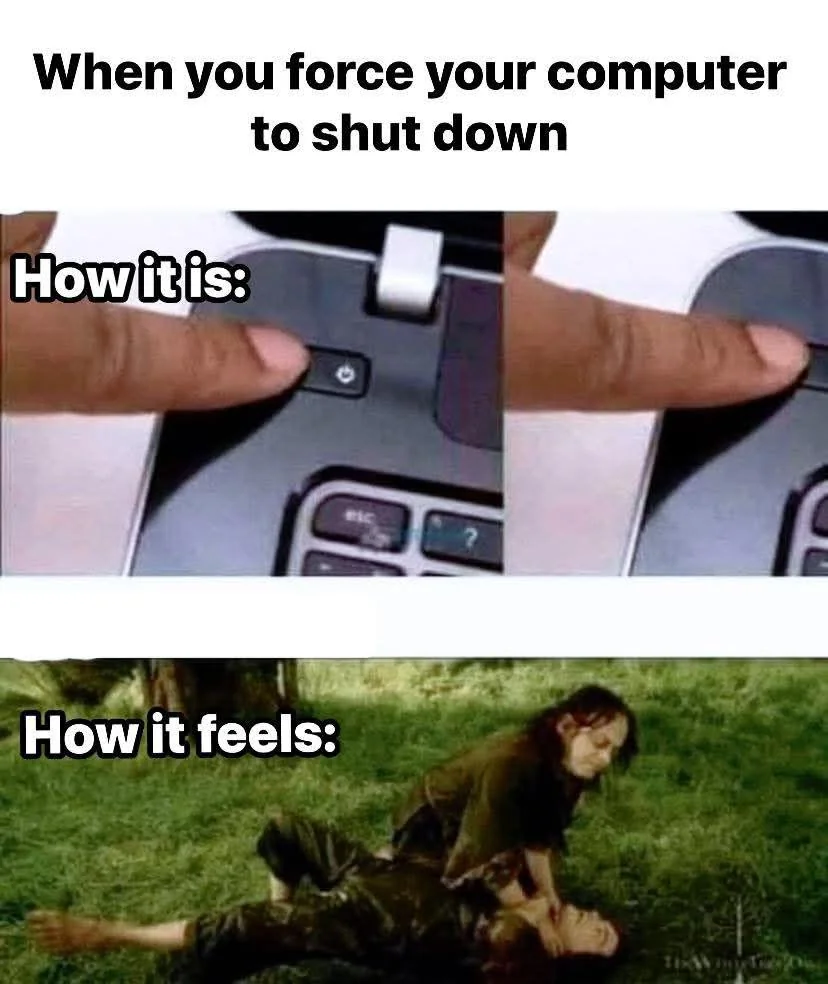
That’s not the best way to turn your PC off but hell half the time I just murder mine by holding down the power button anyways. As long as you’re not being crazy shutting her down in the middle of some data operations you’ll be fine.
I have an old laptop with a w7 partition for running some old cracked software. It has never seen a shitdown, only battery pulls. Not even the warning of a long press
My god that poor machine
I used it when I was watching movies to fall asleep to but did not want to use the battery. You can specify a time with /t before the shutdown occurs.
I always did a
sleep 1h && systemctl suspend
You can just type “shutdown now” and it does.
Or just
poweroff, one word not twoHow about
haltI just tried it but it gave me an error
Lol, never happened to me in almost a decade of using systemd. Windows update was a constant blocker.
This boils down to a Linux using a file system which allows files to be deleted or replaced in the inode table while something has the old file open. So it’s easier (although not simple) to replace packages while other stuff is running. Whereas Windows has to shut everything else down so nothing has the file open to replace it and also fix stragglers during the next reboot.
its more to do with the fact that until recently linux distros did not have a desktop pc centered idea on how to do updates. but distros started to support offline updates, so you can install updates in a safer way, while the system is not running.
a major difference is that linux offline updates allows you to just shut down, without taking time with updates.
My phone and Linux PC’s now all do this. Primary partition in use. Updates apply to secondary partition. At next reboot, load the updated partition.
It’s so much better that the alternative, I can’t wait for Windows 14 to adopt it.
only atomic distros do that, and it has its downsides. most distros still only keep a single system partition, but if it does snapshots before update then it’s not a big deal if something goes wrong
Windows update set my PC back almost 3 years for some unknown reason, lost so much shit. That was my final fuck it this shit moment, I installed Mint last week. A little bit of a learning curve, but I’m enjoying it and not worried about everything getting ruined unless I do something dumb. I can live with my own stupid.
script on desktop; shutdown -h now, or hit button
I was always particularly fond of windows turning my laptop on, running updates, and then going into hibernation, which then caused a blue screen trying to come out of it.
The laptop had sleep and hibernation disabled, all of the wake-on-events and automatic updates were disabled as well. (It was an older cranky thing and deserved rest - or to be taken out back and shot.)
Yet, somehow it always turned on for update day, even after I blocked it from the internet via the router.
I enjoy the backpack detection mode they have on laptops to make sure it turns on, overheats, and drains the battery anytime you take it somewhere you’ll want to use it unplugged.
(It was an older cranky thing and deserved rest - or to be taken out back and shot.)
Or gifted something like GNU+Linux, BSD, OpenSolaris, 9base, GNU+Ironclad, GNU(+Hurd), KolibriOS, etc, and given a new lease of life for another decade or two, and unlikely to ever suffer like it suffered under windows ever again…
Oh absolutely. It’s running Ubuntu for a couple years now and it’s so much better.
No operating system will change your ancient laptop’s CPU to a more powerful and efficient one though. It’ll feel snappier to use because there are fewer background processes, but it won’t really be fast. Browsers will still be slow, so will code compilation, etc.
You know I’m okay with Windows running updates I shut down or anything else like that. It’s incredibly annoying when people don’t run updates and then wonder why their system gets fucked up. It’s just like on Linux when people just absolutely refuse to acknowledge the fact that they need to run updates. And many times I need to run the updates manually through the command line. There are quite a few gooey applications and things like that that will allow you to run updates but many times you still have to run them manually. And then something breaks and people wonder why I broke when they didn’t run any updates. So in the end really who gives a fuck if it’s running updates on shutdown you hit the button says run updates you tell it to run updates and you either close the lid on your laptop and walk away or you carry it till it shuts down within a few minutes and then you shut it down. Or you just let your desktop run until it’s done. It’s really not that big of a deal that people here seem to make it out to be and seem to make 10 different memes a day about the shutdown process on whatever OS they want to shut down.
For most people, especially work computer/laptop users, making the update happen by default on restart or during sleep hours does a lot to keep the pc updated, because they would otherwise never do it themselves. There is a somewhat large minority of users who complain about such behaviour, but these are mostly people into computers anyways and can update their stuff anyways.
But the biggest gripe is the horrid implementation of the start menu power buttons in windows:
- update and restart: mostly works as you would expect - updates and boots the pc
- update and shutdown: updates the pc, and instead of leaving the pc in shutdown state, many times it just boots the pc again, working like update and restart
- restart/shutdown without updating: non-insignificant chance of it doing the update anyways
Thank you for mentioning the horrible implementation of the power button options.
Update and shutdown? Nah, I don’t feel like it. I’m gonna restart five times also and then I’m boot into Windows.
It’s nice to have the choice.
One of my systems [that is actually in use], I’ve not run an update for near as long again as how long it’s been since I rebooted it, and have not even hot-patched it, nor upgraded anything, …
uptimesays: “08:07:28 up 2687 days, 29 min, 1 user, load average: 0.00, 0.00, 0.00”(And it’s a gentoo… And I love upgrading long neglected gentoos… … though that’s maybe an order too far, that long. A couple years, fine, fun, but less than a year away from 3000 days (plus another grand or two). LOL. But still, the freedom to choose to do that… is nice.)
… Just before clicking Reply, I hear Richard Stallman’s [paraphrased(?)] words echoing around in my mind… Either the user controls the software, or the software controls the user at the behest of someone else.
But you don’t need to restart Linux for updates most of the time, basically just kernel updates, and those aren’t often done more than once a month or so, less for fixed point release distros
And even then, there’s the hot patching potential for a running kernel to upgrade without reboot.
And you don’t necessarily need to reboot Windows for all of their updates either if you keep it updated. But there’s quite a few updates I’ve run on Linux especially servers that have been neglected when I’ve gone into companies because people are like herder I don’t need to patch or update anything on linux that do require reboots.
The problem is how they install the fucking updates.
“OMG IT’S PATCH TUESDAY!!!11111!! NEEED TO REBOOT IMMEDIATELY RIGHT NOW I MUST FORCE CLOSE ALL THE OPEN APPLICATIONS WITHOUT SAVING ANY WORK, THE USER GONNA APPRECIATE THAT”
I mean it’s not really horrible it’s actually a pretty good idea for people that either a are not computer savvy or b wouldn’t normally update without being reminded to do stuff like that. Which unfortunately for people like you and I is the vast majority of people in you know the world. Actual computer users who understand and can do it on their own are very few and far between. Think about an average company of say 5,000 people and that’s a small fish company. There’s an it department of what maybe 10 to 15 if that. And in that case you may be have another 20 users maybe 30 users total that have any knowledge of computers at all. That’s a huge amount of people right there in a huge amount of computers that would never have any updates for patches and become vulnerable to everything from crashing to getting hacked. Without those automatic upd
“shutdown” is a noun. I was on vacation because the company was in shutdown.
“shut down” is the compound verb you wanted.
Grammar checking a wojack meme?
Username checks out.
Username checks out.
must… not… bite…
I would argue executables can be verbified.
I can
grepa file. Why can’t ishutdown?Because grep isn’t a word? And since when do machines set the tone for human activity? Lights turn on, do you turn on in the morning?
🥴 I would 4 u bb